Today, televisions are much more than entertainment.
They are part of our lifestyle.
Especially since OLED televisions are doing well to deliver amazing picture quality, their vibrant contrast, and ultra-deep blacks make them spectacular entertaining devices.
Therefore, protecting your investment requires more vigilance.
This is the reason we want you to be aware of screen burn-in.
A concern growing in importance and seemingly ignored by many buyers.
Let’s make it simple and help you protect your OLED screen, so your viewing remains impeccable for many years.
✅ What is Screen Burn-In?
TV screen burn-in, also called image retention, is a permanent discoloration or ghosting (or after-image) of visuals displayed on the screen.
It typically occurs when static images (e.g., logos, or tickers or HUDS, etc. in games) are displayed for longer periods of time at one time.
Affected OLED pixels deteriorate unevenly, resulting in a very faint, perfectly formed permanent image.
For example, you may enjoy a cricket match on television, and later realize that the score bar has “stuck” on your screen?
That is burn-in. Not beautiful.
🔍 What Causes It?
Here are the main shared causes for screen burn-in:
- Static Content:
E.g. news tickers, channel logos, or game environments.
- Bright Set Brightness:
High levels of brightness can accelerate pixels wearing out.
- Extended Time Viewing:
e.g. same image on the screen for hours.
- Don’t Use Screen Protection Settings:
Lots of users will forget to turn on settings like pixel-shifting or auto-dim.
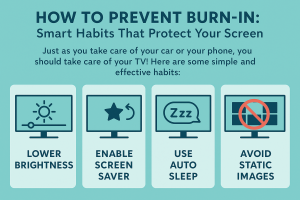
How to Prevent Burn-In: Smart Habits That Protect Your Screen
Just as you take care of your car or your phone, you should take care of your TV! Here are some simple and effective habits:
-
Use Screen Savers and Pixel Shifting
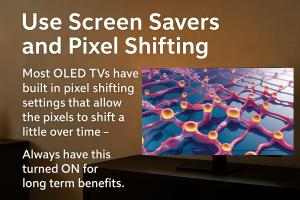
Most OLED TVs have built in pixel shifting settings that allow the pixels to shift a little over time –
This prevents image retention.
Always have this turned ON for long term benefits.
-
Lower Brightness and Contrast
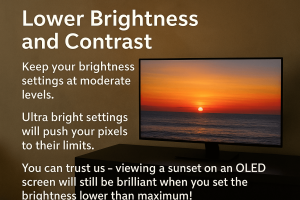
Lower brightness and contrast
Keep your brightness settings at moderate levels.
Ultra bright settings will push your pixels to their limits.
You can trust us – viewing a sunset on an OLED screen will still be brilliant when you set the brightness lower than maximum!
-
Try not to watch long static screens
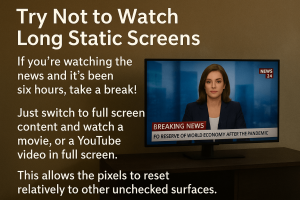
If you’re watching the news and it’s been six hours, take a break!
Just switch to full screen content and watch a movie, or a YouTube video in full screen.
This allows the pixels to reset relatively to other unchecked surfaces.
-
Gamers must consider the HUD!

Gamers must consider the HUD
If your gaming experience lasts hours, consider changing the position of HUD information (heads up display) regularly
– or if the game offers a gaming mode
– using this mode reduces few minutes of your gaming interface is static on screen.
-
Rotate your content
Be mindful of the balance of your usage!
Return to live TV, OTT apps, and games – that’s good practice for you and your screen!
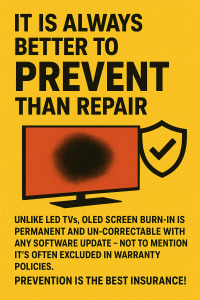
🧠 It Is Always Better to Prevent Than Repair
Unlike LED TVs, OLED screen burn-in is permanent and un-correctable with any software update – not to mention it’s often excluded in warranty policies. Prevention is the best insurance!
🛍️ Your OLED Deserves the Best So Go with Stanlee India
At Stanlee India, we do a lot more than just sell TVs.
We advise, educate, and care about our customers.
When you buy an OLED TV from us, our team will ensure you receive total setup assistance, custom configuration for longevity and lifetime advice to protect your screen.
This pretty much sums up what we do, “Sell the best and serve with heart”.
Let your OLED TV run free for years ahead with no shadows of burn-in.
✨ Final Words
Your TV is a long-term investment. With a little awareness and the right practices, you can enjoy the breathtaking OLED experience – minus the headache of burn-in.
Looking to upgrade or need expert setup?
📞 Call Stanlee India today – Your screen, our responsibility
Stay Tuned, Stay Connected